- Delivery Method Online
- Professional Certificate
- 24hrs Suggested Study Time
- 3 Months Access
- Tutor Support
- Study On Any Device
- 4467 Students
Teaching With SMART Boards
Now Only
$389
AUD
35% off
$599 AUD
Quick Facts
Master the use of SMART Board and SMART Notebook technology so you can create powerful interactive lessons that capture your student's attention.
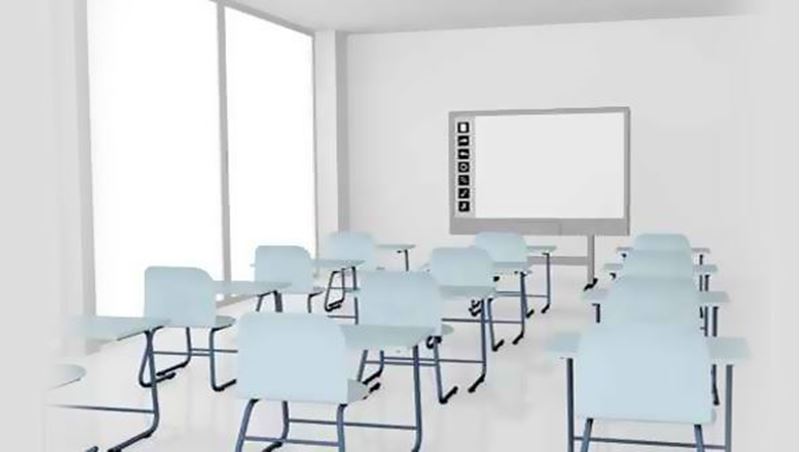
SMART Boards are revolutionising today's classroom. Using these exciting interactive whiteboards, you can create multimedia lessons that engage learners and address their diverse needs.
But having SMART Boards in the classroom and knowing how to use them to provide quality instruction are two different things! If you have a Smart Board in your classroom but have little training in using it, you may be wondering—""What on earth do I do with it?""
In this class, you'll discover how to create outstanding presentations with SMART Board and SMART Notebook technology. You'll explore the basics of using these tools and discover how to create your own SMART board lessons blending text, videos, and graphics. You'll also go beyond the bells and whistles and look at specific ways to use SMART technology to broaden your content and make your lessons accessible to all students. Finally, you'll get some simple trouble-shooting tips that will come in handy if your SMART board isn't acting as smart as it should.
By the time you're done with this course, you'll be an expert at using your new high-tech tools to plan SMART board lessons that provide engaging, thought-provoking, and easy-to-update material for today's media-savvy learners.
Courses are delivered to you through expertly executed lessons, online instruction and interaction with like-minded students. Our courses are designed to deliver all of the benefits of studying in a classroom whilst giving you the flexibility to study at a time and place to suit your needs. You can access your classroom 24/7 from any device with an internet connection.
This course has a 3 month duration. You'll complete comprehensive lessons, quizzes and assignments before submitting your final exam at the end of the course to achieve your certificate. Courses must be completed within the 3 month access period.
We'll begin this first lesson by taking a close look at exactly what a SMART Board is and focusing on its interactivity potential. What often happens in the classroom is that teachers inherit a SMART Board but don't know what to do with it. As far as they can tell, it's not much more than a whiteboard. So that's what we'll focus on in this lesson: the SMART Board's interactivity potential and its myriad possibilities. At the end of this lesson, you'll be excited and eager to learn more.
As teachers, we cannot turn our backs on technology. Our students have grown up with it. When we look at today’s learners, we have to look at the whole picture, and that includes where they are with current technology. So, in this lesson, we'll talk about some of the more recent learning theories and where technology fits in with them. We’ll go over the different learning types, multiple intelligences, differentiated instruction, and constructivism. We’ll take each theory and see how technology can complement them all. Along the way, I’ll also share with you the difference between digital natives and digital immigrants, an understanding that could help you greatly in your approach to teaching.
Our goal for this lesson is to download the SMART Notebook software and install it on your computer. Once you have the software downloaded and installed, we'll talk about the equipment you'll need to get started. Then we'll cover how to connect your SMART Board to your computer and projector. When we finish with all those technical details, we can start taking a tour of the SMART Board and the SMART Notebook software. By the end of this lesson, you'll be well prepared to begin working with your SMART Board and the SMART Notebook software. Please keep in mind that you do not have to have a Smart Board to complete the work for this class. The SMART Notebook software is the only requirement. The software is the magic with the Smart Board, not the board itself. So, even if you are exploring the idea of using Smart Boards, you can use your computer and create amazing lessons to use later when you actually have a board.
In this lesson, we'll focus on how to write on the SMART Board, beginning with how to type on it. Then we'll talk about how to write using the collection of pens, how to make shapes, and how to use the eraser. Along the way, I'll share some examples to help illustrate how you can use each of these tools. My goal is to inspire you with some great ideas that you can incorporate into your own classroom.
In this lesson, we're going to look at ways to make use of documents you already have. There are a couple of terrific tools to help you do just that: Smart Ink and Capture. Another tool you'll undoubtedly use often is the Table tool. I'm sure you use tables and charts all the time as a teaching tool. The SMART Notebook Table tool makes creating and manipulating tables super easy. And with its other cool features—like being able to cover individual cells until you're ready to reveal them—I'm betting you'll use Table the tool often. Learning how to use these tools will take you another step closer to SMART Board mastery.
In today’s lesson, we’ll focus on the SMART Board Gallery. In the Gallery, you’ll find manipulatives, clip art, images, and more to help you teach every subject area. You can even add your own images to the Gallery to tailor your lessons to your own wishes. We'll also explore two valuable components of the Gallery: Gallery Essentials and My Content. We’ll take an in-depth look at each of these tools so that you’ll be comfortable using them to create highly visual, interactive lessons that will engage and involve your students.
In this lesson, we'll be digging into the Lesson Activity Toolkit to see what's there and how it can help you with your classroom instruction. With a simple drag and type, you can introduce, review, or enrich learning. We'll also spend some time working with the Page Sorter, Attachments tab, and Activity Builder tab. The Page Sorter is instrumental in helping you see where you are in your SMART Notebook file. It's also where you can group together parts of your file for more efficient access. The Attachments tab is a terrific way to use your own resources while maintaining continuity in your lessons. Finally, the Activity Builder tab allows you to create your own customized sorting activities. By the end of this lesson, you should feel like a pro in navigating all the sidebar tabs.
Knowing how the SMART Notebook software works and what the various tools do is not the most important thing when using your SMART Board. Once you have a solid understanding of how things work, it’s critical to shift your focus to content, not bells and whistles. In this lesson, we’re going to focus on finding effective lessons—ones that are already put together for you—to meet your curriculum requirements. I'll be sharing lots of resources to make your teaching life much easier.
Even when we use the Gallery and the Lesson Activity Toolkit, sometimes we still come up a little bit short. What do you do if you can’t find just the right lesson? That's what we'll focus on in this lesson: We’re going to discuss how to make your own SMART notebook lessons. You’ll learn how to create <em>reveal</em> and <em>drag-and-drop</em> experiences. Throughout this lesson, we’ll keep in mind the Marzano lesson design. We'll preview, chunk, and scaffold learning in any lesson we create. Most important of all, we’ll keep our eyes focused on content, not just adding more doodads and gadgets. As I share these tools with you, I’ll also be giving you some great lesson ideas.
Students learn in different ways. In this lesson, you'll learn to make your SMART Notebook lessons even more visual and interactive. We'll concentrate on how to reach more learners by animating objects, adding your own images, and adding video and sound. Kids love animation and sound, and adding them will make your lessons that much more enticing. Plus, lessons with animation, video, and sound have the ability to reach every kind of learner.
Since videos have become so much a part of our daily experience, it only makes sense to use them in the classroom, too. SMART Notebook includes several multimedia functions to help make learning interactive. In this lesson, we’ll be learning how to use SMART Notebook’s Page Recorder, the SMART Recorder, and the SMART Video Player. Even though these features sound similar, they have distinct characteristics that give them unique utility. By the end of this lesson, you’ll be creating your own recordings and videos to elevate your classroom instruction to an even higher level.
Do you know what can stop you dead in your tracks when you’re using your SMART Board? When something doesn’t work. So in this lesson, I’m going to share with you some troubleshooting tips. Ideally, they’ll head off problems before they even arise. If not, this information will give you some quick and easy ways to get back on track. We’ll talk about some of the most common technical problems teachers run into when working with their SMART Boards. Then I’ll talk about fixes for operational problems, like when your board is placed too high for students to comfortably work on it. We’ll also look at a few more features of the SMART Notebook software. Then we’ll wrap up the course with a look at some additional tools that you might consider for use in the future.

Lori Elliott
Lori Elliott, EdD, began her high-tech journey when her son brought home an iPod. Soon after, this veteran educator started wondering, "What if I could use technology as a way to reach my students and help them share ideas with each other?" With n... Read more
Read Lori Elliott's ProfileFrequently Asked Questions
Once you've made the payment, we'll send you a confirmation email with a link to start your course. Feel free to get started whenever you're ready!
You'll have 3 months access to your course. In that time you are free to study at your own pace. The course duration is 24 hours.
Online learning is a flexible way to study that fits around your schedule, giving you the freedom to learn at your own pace from anywhere in the world. You'll have 3 months to complete the course and can take the multiple-choice questions and final exam whenever it suits you.
If you need help, you can contact us anytime. You can also join the discussion area where you can interact with other students. The discussion area for each lesson is open for the entire duration of the course.
Of course! We offer a 7-day money back guarantee. As long as you haven't completed the course, you can get a full refund within 7 days of enrolling.
We do not offer extensions or transfers for this self-paced course. However, you will have 3 months to complete the course, and if you need to cancel within the first 10 days of enrolment, we offer a money back guarantee.
What people are saying about our courses
The Learning Environment
From the moment that you enrol in the Teaching With SMART Boards you will become an integral part of our learning community. You'll find yourself with the freedom to learn at a speed that suits you, on any device, from anywhere in the world. Achieving your career goals no longer has to mean compromising family and work commitments.
Ready to get started?
Enrol NowOur Values
Learn At Your Own Pace
We believe in personalised learning. That's why we provide all the tools and support you need to succeed at your own pace. With flexible learning, you'll stay motivated and retain more information. Plus, you can balance your studies with work and family commitments to make your dreams a reality.
We Won't Break The Bank
Education should be accessible to anyone who wants to learn. That's why we offer some of the most competitive prices in the industry with payments plans for just $25 per week. Investing in your future is a smart choice and doesn’t have to break the bank.
Industry-Led Courses
There's no better way to learn than from experts with years of experience in your field. That's why each of our 200+ industry-led courses are designed to give you a real-life perspective on your industry. With our expert mentors, you'll learn from people who have a wealth of knowledge and experience, and who are passionate about sharing it with you.
Get The Personal Support You Deserve
At Vibe Learning, we're real people who are dedicated to providing you with personal support every step of the way. Our industry experts are not only professional and knowledgeable but also incredibly passionate about sharing their expertise with you. With their guidance, you'll gain invaluable insights and practical knowledge to help you succeed.
Still looking?
Check out the following courses related to Teaching With SMART Boards: